Sandustry SandPrints Blueprint Sharing Guide
The community blueprint database �?browse thousands of factory layouts, download starter to megabase designs, and share your own builds.
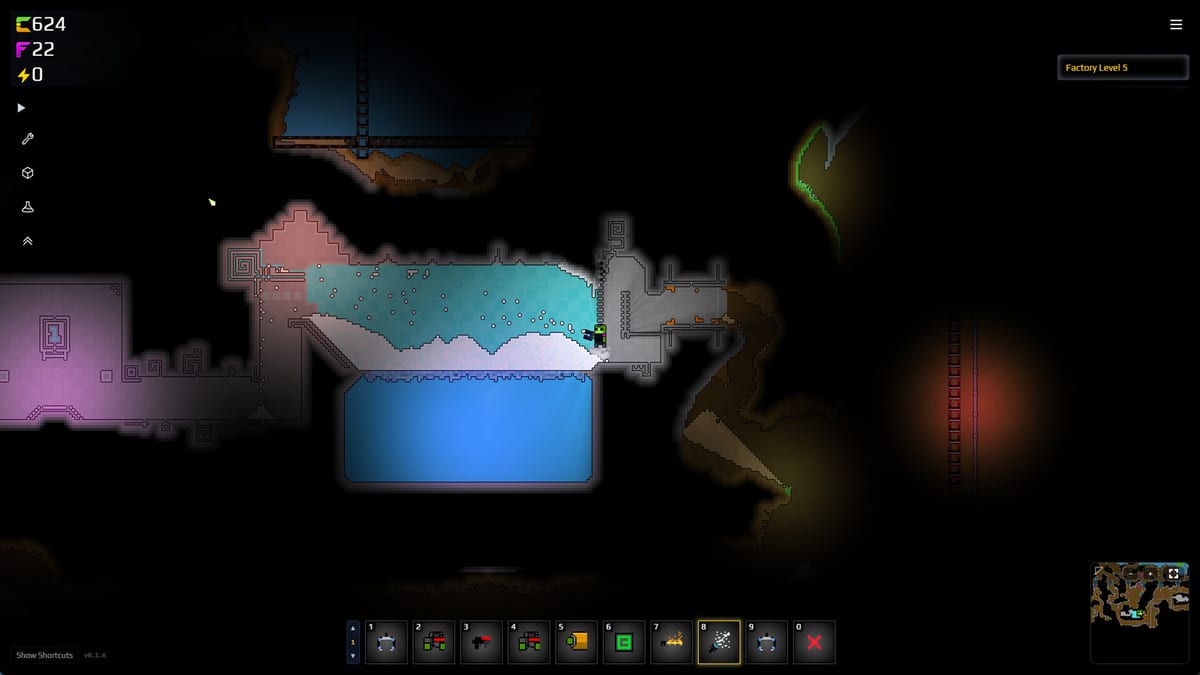
SandPrints is a community-built, searchable database of factory blueprints for Sandustry. It is not an official Lantto Games product �?it is maintained by the same community that runs the SandTogether co-op mod and the sandustry.quest fan site. This guide covers what SandPrints is, how to browse and install blueprints, how to contribute your own designs, and what the quality tiers mean for your save file.
What SandPrints is
SandPrints stores .sandprint blueprint files �?a community format that captures full factory layouts including building positions, conveyor paths, research choices, and terrain context. Think of it as a recipe database: you download a file, load it into your save, and get a working factory layout without designing it yourself.
The database includes:
- Starter shaker lines for players in their first hour.
- Mid-game logistics setups for players past the first gold loop.
- Tier 4 and Tier 5 megabase layouts for players running 50k+ pixel factories.
- Specialized designs for specific materials: pure slag lines, fluxite botanical wings, lava-filter gold extractors, and copper smelter arrays.
SandPrints is separate from Steam Workshop �?Workshop stores mod files, while SandPrints stores pure factory blueprints. Both can be used together.
How to browse SandPrints
The main database is hosted at sandprints.quest (or the equivalent community domain linked from the official Discord). The interface lets you filter by:
- Factory tier: Starter, Tier 2, Tier 3, Tier 4, or Tier 5.
- Material focus: Gold, Fluxite, Copper, Lava, Water, or mixed.
- Blueprint size: Small (under 1,000 tiles), Medium (1,000�?0,000), Large (10,000+).
- Last updated: New uploads, popular this week, or all-time top.
Each blueprint entry shows:
- Preview image �?a rendered screenshot of the factory.
- Tile count �?how many building tiles the layout uses.
- Required tier �?which factory tier you need to unlock it.
- Steam Workshop link �?if the same layout is also on Workshop.
- Contributor �?the community member who uploaded it.
How to install a blueprint
Blueprint installation is manual �?SandPrints does not have an in-game browser yet.
- Find a blueprint on sandprints.quest and click Download.
- Save the .sandprint file to your Sandustry blueprints folder. The default location is
%AppData%\sandustry\blueprints\on Windows,~/Library/Application Support/sandustry/blueprints/on macOS, and~/.config/sandustry/blueprints/on Linux. - Name the file something memorable �?the game lists blueprints by filename.
- Load the game, open the Blueprint Panel (keybind: B by default), and select the file from the list.
- Place the blueprint �?it will overlay on your current terrain. You can then adjust, delete, or expand any part of it.
If the blueprint requires a specific mod (for example, a copper smelter layout that needs the Copper Processing mod), the database entry will flag the dependency. Install the mod first, then load the blueprint.
How to share your own blueprint
If you have built a factory you are proud of, sharing it helps the whole community.
- Design your factory in-game. Make sure it is self-contained �?the blueprint should work without requiring items from outside its footprint.
- Export the blueprint using the Blueprint Panel (keybind: B) �?Export. Name it descriptively:
[Tier 3] Gold + Slag Dual Shaker Line �?Lanthus42. - Create a SandPrints account at sandprints.quest. Registration is free and does not require a Steam login.
- Upload the .sandprint file, add a preview screenshot (required), fill in the metadata form:
- Factory tier: which tier unlocks this.
- Material focus: what the factory primarily produces.
- Tile count: approximate.
- Mod dependencies: list any mods required.
- Description: what the factory does, any quirks, and who it suits.
- Submit �?moderators review new uploads within 24�?8 hours. Off-topic or duplicate uploads are removed; quality uploads are tagged and featured.
Good blueprints to share:
- A stable starter shaker line that a new player can place and understand.
- A water recycling system that handles steam without flooding.
- A fluxite botanical wing that reliably produces Fluxite without a massive footprint.
- A lava-filter gold extractor that uses density separation instead of shakers.
Blueprint quality tiers
Not all blueprints on SandPrints are production-ready. The community uses a tier tagging system:
- Verified �?tested by a moderator and confirmed to load correctly in the current EA build.
- Community Tested �?multiple players have reported it works, but it has not been formally verified.
- Experimental �?the contributor believes it works but it has not been widely tested.
- Outdated �?was verified against an older build; may need adjustment for the current version.
Always check the Verified badge before downloading a blueprint for a serious save file.
Common blueprint problems and fixes
Blueprint places in the wrong location. Blueprint coordinates are absolute, not relative to your cursor. If your terrain is different from the uploader’s, the blueprint may float or clip. Use the Snap to terrain toggle in the Blueprint Panel to auto-adjust.
Missing mod warning when loading. The blueprint depends on a mod you have not installed. Install the flagged mod from Steam Workshop before loading the blueprint.
Conveyors not connecting after placement. Some blueprints use specific conveyor angles that do not survive the export/import round-trip. Check the conveyor connections manually after placement and redraw any that broke.
Blueprint too large for my save. Large (Tier 5 megabase) blueprints need significant free terrain. If you load one on a save where you have already built extensively, parts of the blueprint will overlap your existing factory. Start fresh or use the Blueprint Panel to check overlap before committing.
SandPrints and Steam Workshop
SandPrints and Steam Workshop are complementary:
- Workshop is for mods �?new buildings, materials, and gameplay modifications.
- SandPrints is for factory blueprints �?pure layout files that work in the vanilla game.
A blueprint that requires no mods will work with or without Workshop subscribed. A blueprint that requires a mod must have the mod installed regardless of where you download it.
Related pages
- Sandustry Modding API Guide �?Official Lua and C# modding docs for building custom buildings and mechanics.
- SandTogether Co-op Mod �?Multiplayer mod for sharing factories with friends.
- Custom Maps �?Community map loader for predefined terrain challenges.
- Factory Tiers �?Tier 1�? progression; Tier 6 in development.
- Fluxite Upgrades �?How to spend Fluxite crystals on scanner, grabber, and hover upgrades.
- Mods Hub �?All community tools in one place.
Use SandPrints to skip the design phase and jump straight to the part you enjoy �?running the factory.
Frequently Asked Questions
Quick answers to the most common Sandustry questions.
What is Sandustry SandPrints?
SandPrints is a community blueprint database hosted at sandprints.quest. It stores .sandprint factory layout files that players can download and load into their save. It is separate from Steam Workshop �?no mods required.
How do I install a SandPrints blueprint?
Download the .sandprint file, save it to %AppData%\sandustry\blueprints\, then load it in-game via the Blueprint Panel (B key). See the step-by-step above.
Can I use SandPrints blueprints with mods?
If the blueprint has no mod dependency, it works in vanilla. If it requires a specific mod (e.g. Copper Processing), install that mod from Steam Workshop first.
How do I share my own factory blueprint?
Export your factory in-game via the Blueprint Panel (B), create a free account at sandprints.quest, and upload the .sandprint file with a screenshot and metadata. See the contribution guide above.
What is the difference between SandPrints and Steam Workshop?
SandPrints stores factory blueprints (.sandprint files) for the vanilla game. Workshop stores mods that change game mechanics. Both can be used together �?blueprints plus mods.
How do I know if a blueprint is safe to use?
Look for the **Verified** badge �?moderators have tested it in the current EA build. **Community Tested** is generally reliable. **Experimental** and **Outdated** may need adjustment.