Sandustry Marquee Selection Guide
Shift-drag to select entire factory sections, then delete, copy, or replace in one pass.
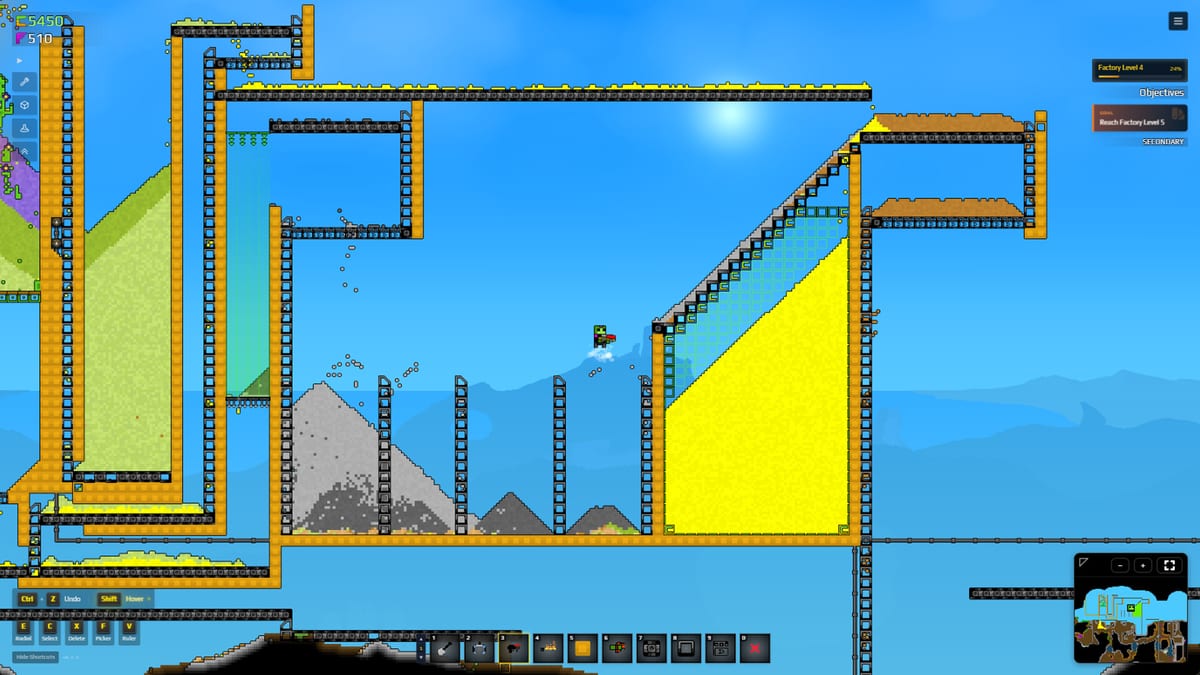
Marquee is the rectangular drag-select that appears when you hold Shift and draw a box around buildings in Sandustry. It is not a separate building to place—it is a selection mechanic shared across tools. Once selected, the marquee group becomes the target for delete, copy, or replace operations, letting you wipe a whole wing, duplicate a press line, or swap belt tiers without clicking each tile. Paired with X for demolition and Ctrl for replace, marquee is the fastest factory-editing tool you already own.
How to open a marquee
- Hold Shift.
- Click and drag a rectangle over any combination of buildings, belts, and ground tiles.
- Release. All player-placed objects inside the box are selected.
- Apply an action: X to demolish, C then Ctrl+C to copy, or place a new building while holding Ctrl to replace.
The marquee works on any rectangular area, regardless of whether the contents form a connected structure. A marquee around a corner of your factory does not auto-expand to the full wing—draw tight to avoid catching nearby belts you meant to keep.
When marquee selection shines
Mid-game redesigns — You unlocked Logistics 1, built a second shaker row, and now the old manual-haul corridor sits empty. Marquee-select the whole corridor, hit X, and the belts vanish without touching the new line. Without marquee, you click each belt end individually or risk demolishing the wrong row.
Bulk Ctrl replace — You want to upgrade all your Mark 1 Conveyors to Mark 2 without rebuilding geometry. Marquee the belt grid, then place a Mark 2 tile while holding Ctrl. Every Mark 1 under the selection converts. This works for filters, collectors, and launchers too.
Duplication for parallel lines — Select a working shaker-press pair with marquee, copy with C then Ctrl+C / Ctrl+V, and paste a clone. Offset the duplicate so it does not overlap the original. This is the fastest way to scale from one press to three.
Factory audits — Before a major rebuild, marquee your entire current layout, take a mental note of what is selected, then cancel. You now know exactly which belts, shakers, and filters are in play.
Shift and launcher outlet skip
The Shift key has two roles in Sandustry, and marquee selection uses the drag variant. The second Shift role—launcher outlet skip—is a placement trick, not a selection tool. When you are placing a chain of launchers, holding Shift while clicking skips the outlet tile so the next launcher can chain directly. This is separate from Shift-drag marquee and does not conflict with selection behavior.
The two Shift modes are:
- Shift + drag = Marquee selection (while nothing is being placed)
- Shift + click = Launcher outlet skip (during launcher placement mode)
Combining marquee with demolish
After marquee-selecting, press X to demolish everything in the box. The demolisher rules still apply: red blocks in the selection follow the 256-tile scan limit from Update 0.5.4, and puzzle reset buttons cannot be deleted. Keep the marquee small enough to avoid triggering the red-block orphan scan.
For replacing rather than deleting, hold Ctrl while placing a new tile after marquee-selecting. This converts matching tiles under the box without touching unrelated structures.
Copy and paste with marquee
C opens the copy mode. With a marquee active, pressing C copies every object inside it. Ctrl+C confirms the copy to the clipboard; Ctrl+V pastes at the cursor. The pasted clone inherits the relative positions of everything in the original marquee. This is the official beginner tip mentioned in Getting Started—it works on any rectangular selection, not just symmetrical layouts.
When pasting, watch for overlap with the original selection. Offset duplicates by one tile horizontally or vertically before committing.
What marquee does not select
The marquee selects player-placed buildings and belts, but world terrain—sand piles, water bodies, lava, and intact rock—lies outside the selection. Mixed selections containing both player objects and world terrain are valid; the action only applies to player objects. Underground pipes and liquid networks can be tricky: pipes count as player objects, but their fluid contents do not.
Related
- Keyboard Shortcuts — X, Shift, C, Ctrl+V reference table.
- Build Modes — Linear vs rectangular placement that affects what marquee catches.
- Demolisher — X delete and the 256-tile red-block rule.
- Ctrl Replace — Hotfix 8 replacement mechanic.
- Starter Factory — Where marquee becomes useful in early scaling.
Frequently Asked Questions
Quick answers to the most common Sandustry questions.
How do I use marquee selection in Sandustry?
Hold **Shift** and drag a rectangle around buildings. Release to select, then apply an action like **X** to demolish or **C** to copy.
What is the difference between Shift for marquee and Shift for launcher skip?
**Shift + drag** opens marquee selection. **Shift + click** (during placement) skips launcher outlets. They do not interfere with each other.
Can I delete pipes with marquee?
No. Pipes survive the **X** demolish. Use the **Pipe Remover** tool for fluid network edits.
How do I upgrade all belts in an area at once?
Marquee-select the belt grid, then place a Mark 2 tile while holding **Ctrl**. Every Mark 1 under the selection converts. See Conveyors and Launchers.
Why did my marquee demolish leave red blocks?
The 256-tile scan limit from Update 0.5.4 applies. Shrink the marquee and retry.
Can I copy a whole factory wing with marquee?
Yes. Marquee-select, press **C** then **Ctrl+C** / **Ctrl+V** to duplicate. Offset pasted clones to avoid overlap.