Sandustry Pipe Remover Guide
The right tool for dismantling water, steam, and lava pipe networks without wrecking the floor beneath.
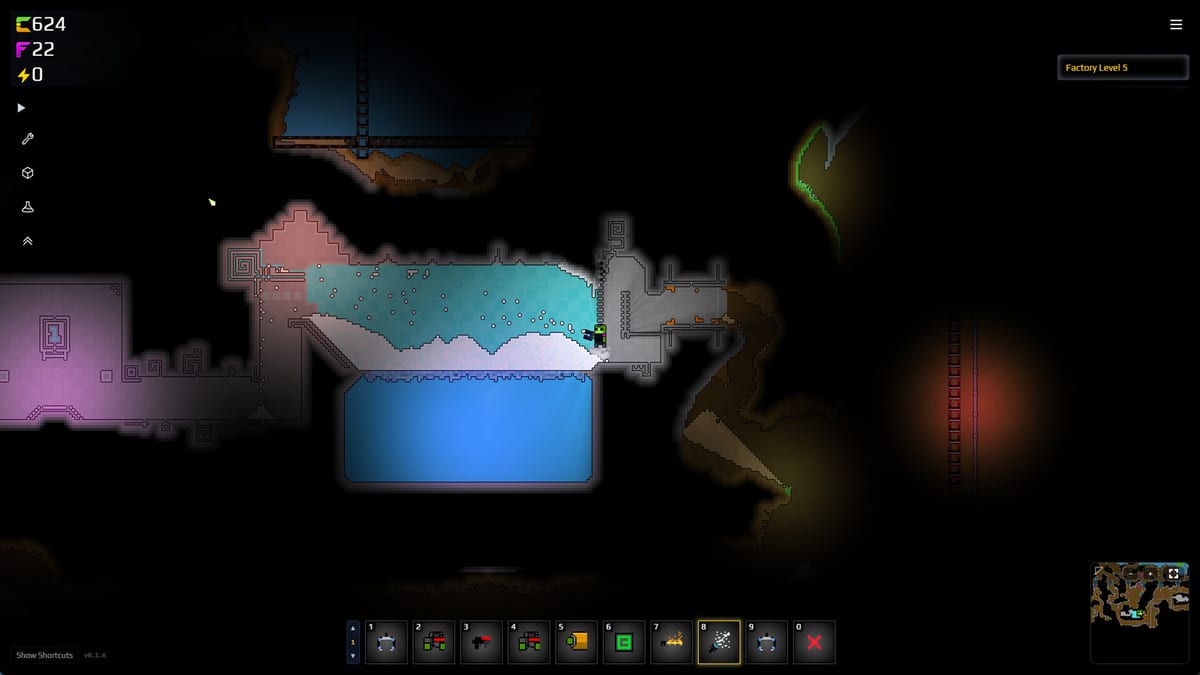
The Pipe Remover is the dedicated tool for dismantling fluid networks in Sandustry. Unlike the Demolisher (X key) which leaves pipes intact, the Pipe Remover deletes Pipes, Pumps, Liquid Vents, and their connecting segments without destroying terrain, buildings, or belts nearby. When you need to reroute a wetting line, drain a lava塞道, or replace a broken pump stage, the Pipe Remover is the tool that keeps adjacent infrastructure alive.
Why pipes need their own remover
Pipes carry fluids that behave destructively when released. A pipe full of Water that breaks open can flood a wetting pool and throw off your sand-to-water ratios for minutes. A Lava pipe rupture melts nearby terrain and creates Scoria where you wanted open tunnel. The Pipe Remover lets you disconnect a segment cleanly, draining pressure and emptying contents before the tile disappears.
Using the X demolisher on a pipe network causes uncontrolled fluid release. The Demolisher removes player-placed solids but explicitly preserves pipes—the Pipe Remover fills that gap.
Default use
- Select Pipe Remover from the building menu or bind it to a quick-access slot.
- Click individual pipe segments, pumps, or vents to remove them one at a time.
- For a bulk removal, hold Shift to open marquee selection (same as other buildings) and draw a box around the pipe network segment you want to clear.
- Release. All pipes, pumps, and vents in the box are removed without triggering fluid explosions.
The Pipe Remover respects the same 256-tile limit from Update 0.5.4 when used with marquee selection on large pipe networks. Shrink the selection if red blocks persist after a bulk removal.
When to reach for Pipe Remover
Rerouting a wetting pool — Your wetting line is too short for a new shaker bank. Instead of demolishing the whole pool, use Pipe Remover to disconnect the intake and outlet pipes, then extend the network to the new position. The pool floor and adjacent belts survive.
Replacing pump stages — Insufficient lift means your upper wetting pool runs dry. Remove the old pump chain with Pipe Remover, then place additional pump stages at the correct low points before reconnecting.
Draining a lava塞道 — A lava pipe is too close to your slag belt and is melting belt tiles. Marquee-select the offending segment with Pipe Remover. The lava vents harmlessly before the pipe disappears.
Steam vent repositioning — Steam pressure is venting onto your sand belts instead of sideways. Use Pipe Remover on the offending vent, relocate it with a Liquid Vent, and restore flow.
What Pipe Remover does not touch
The Pipe Remover deletes Pipes, Pumps, Liquid Vents, and Pipe Removers themselves (so you can put away the tool). It does not delete:
- Belts and conveyors (use X Demolisher)
- Filters and shakers (use X Demolisher)
- World terrain (never removable)
- Planter Boxes (use X Demolisher)
A pipe running through a wall counts as a player object and will be removed with the wall. If you need to keep the wall, remove the pipe segment first.
Safe pipe removal sequence
Before removing any pipe segment in an active fluid network:
- Close source valves — If your pipe system has manual shutoffs, close them before removal so the source tank does not drain through the open end.
- Vent pressure — Allow steam or compressed fluid to escape through an open Liquid Vent before removing the final segment.
- Remove downstream first — Disconnect the outlet end of a pipe run before the intake. This prevents back-flow surge when the line is broken.
- Watch for back-fill — Water and lava can back-fill into empty pipe segments. Remove segments in the direction of flow.
Pairing with Ctrl replace
Like other buildings, you can hold Ctrl while placing a new pipe, pump, or vent to replace an existing tile of the same type. This is faster than Pipe Remover + place new for tier upgrades within the same fluid network. For changing pipe routes or removing a pump entirely, Pipe Remover is still the right tool.
Related
- Pipes and Pumps — Pipe network design that avoids common removal traps.
- Demolisher — X key and red-block rules for solid buildings.
- Marquee Selection — Shift-drag for bulk pipe network removal.
- Water, Ice, and Steam — Why steam pressure matters during pipe work.
- Update 0.5.4 — 256-tile limit on marquee removes with Pipe Remover.
Frequently Asked Questions
Quick answers to the most common Sandustry questions.
What does the Pipe Remover delete in Sandustry?
**Pipes, Pumps, Liquid Vents**, and their connecting segments. It does not touch belts, filters, shakers, or terrain.
Why not just use X demolisher on pipes?
The Demolisher explicitly **preserves pipes**. Using X on a pipe network does nothing. Pipe Remover is the dedicated tool.
Can I bulk-remove pipes with marquee?
Yes. Hold **Shift** and drag a box around a pipe network segment, then release. All pipes in the box are removed. The 256-tile limit applies.
Will removing a lava pipe damage nearby buildings?
Pipe Remover vents lava safely before deleting the tile. Adjacent terrain and buildings survive. Move belts away before removing lava pipes near slag lines.
How do I upgrade pipe tiers without rebuilding?
Hold **Ctrl** while placing a new pipe tier over the old one. Ctrl replace converts matching tiles. Pipe Remover is for removal, not tier swaps.
Can Pipe Remover delete pumps that are carrying fluid?
It deletes the pump tile, but active fluid inside may back-fill or spray depending on pressure. Vent pressure first using Liquid Vents before final removal.